
Famous Landmarks I Spy With Google Earth
This post may contain affiliate links.
Looking for a fun and educational way to explore geography with your kids? Try this interactive Famous Landmarks I Spy activity using Google Earth! It’s a creative way to bring world geography to life—right from your living room.
Whether you’re teaching at home, planning a virtual field trip, or looking to inspire curiosity about the world, this activity will spark your child’s interest in famous landmarks and global cultures.

Why Use Google Earth to Teach Geography?
Google Earth is an incredible free tool that lets you virtually explore locations all around the globe. Kids can fly from the Eiffel Tower to the Taj Mahal, all while learning about geography, history, architecture, and culture.
You can:
-
Take 3D tours of famous buildings
-
Use street view to explore ground-level perspectives
-
Zoom in and out to see country and continent borders
-
Spark conversations about the people, food, language, and traditions of each region
I Spy with My Little Eye… A Global Landmark!
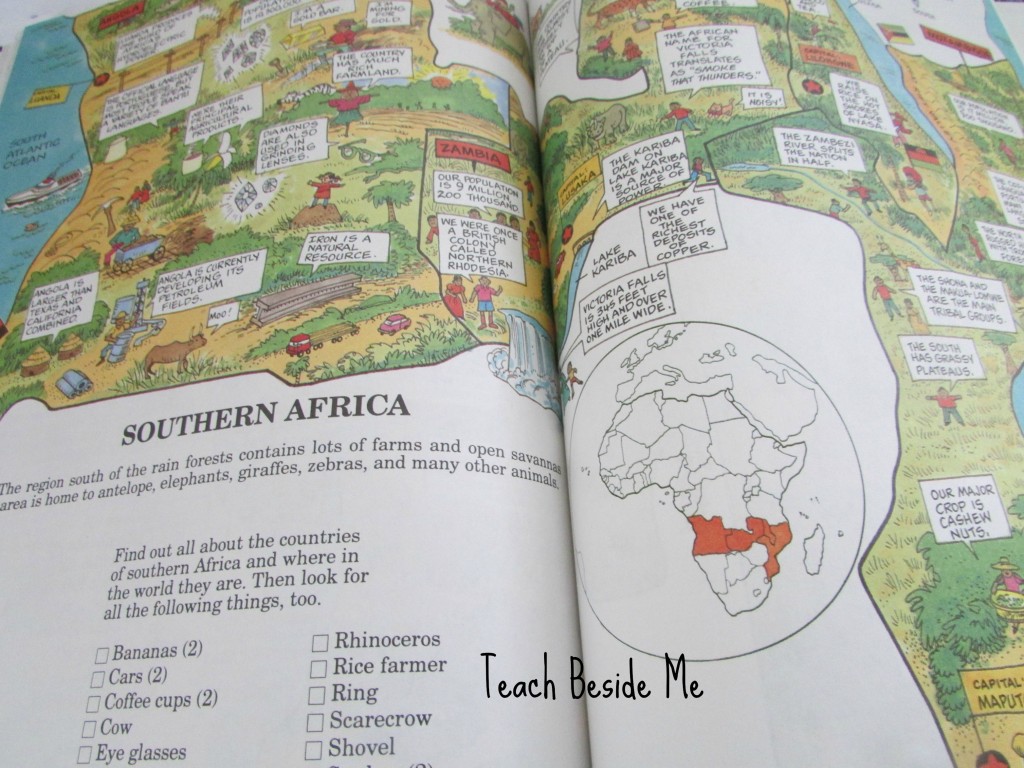
This month’s Virtual Book Club for Kids theme is Where in the World?—a perfect chance to pair books and global exploration. Our inspiration came from The Kids’ Fun-Filled Search and Find Geography Book by Anthony Tallarico. It’s a colorful, search-and-find book packed with maps, world facts, and entertaining illustrations.
While reading through it, I had the idea to let my kids experience the real places mentioned—using Google Earth! It turned into a geography activity that was both entertaining and full of learning opportunities.
Famous Landmarks I Spy with Google Earth: Printable Activity
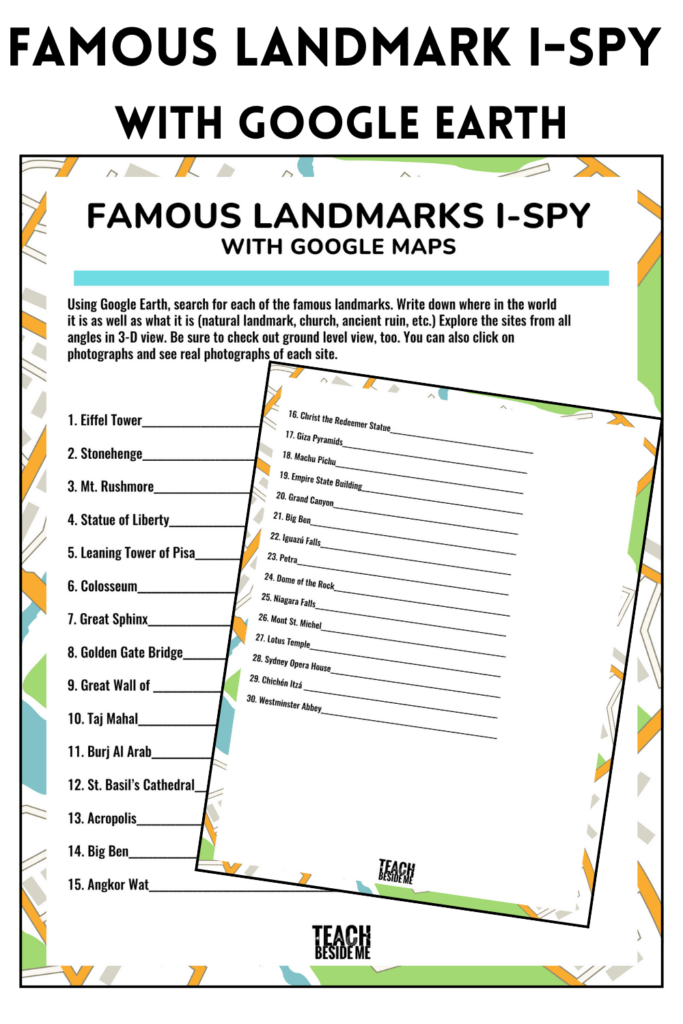
To go along with our virtual explorations, I created a printable Famous Landmarks I Spy worksheet.
This activity includes:
-
A list of 30 world-famous landmarks
-
A space to record the country or city where each one is located
-
Prompts to explore and describe what they see
-
The chance to build map skills and global awareness
Your kids can search each one in Google Earth, observe it from different angles, and learn about where it’s located. You’ll be amazed at the fun discussions this inspires!
Some of the featured landmarks:
-
The Eiffel Tower
-
The Great Wall of China
-
Machu Picchu
-
The Sydney Opera House
-
Petra
-
The Statue of Liberty
-
The Pyramids of Giza
…and many more!
Learning Benefits of the Famous Landmarks I-Spy Activity
This activity combines geography, reading comprehension, critical thinking, and tech literacy—making it an ideal STEAM project for homeschool or classroom use. Kids also practice:
-
Research skills
-
Global awareness
-
Reading and writing
-
Map and spatial reasoning
Bonus idea: Turn it into a trivia challenge or scavenger hunt! Ask questions like:
-
Which landmark is the oldest?
-
Which one is on a different continent than the last?
-
Which has religious or historical significance?
Ready to Explore?
Download the printable activity sheet and start your world tour today!
You can also pair this activity with geography books, documentaries, or create a passport to stamp for each landmark your child “visits.”
Keep Exploring!
Check out these related activities:
Have fun traveling the world—no passport required!





Sounds like a really neat book! Too bad it is out of print! We explored Landmarks, too, for the Poppins Book Nook. Such a fun theme!
This book sounds amazing! The front cover made me giggle with the question about earthquakes- here in Christchurch, New Zealand we have had 29038 quakes since our big jolt in September 2011- including one yesterday! But I don’t think New Zealand would be the answer as this all happened quite recently.
Wow, this is really cool idea. We also did landmarks (but with a different book), and now I am going to first try Google Earth myself and then show it to my daughter!
What a fun book! And brilliant idea to use Google Earth! Technology is amazing!
Great idea using Google Earth, smart! Thank you for linking up to the Thoughtful Spot Weekly Bloghop!
What a great idea! And thank you for sharing the printable.
What a brilliant idea. Thanks for the printable. A fellow Book Nook blogger!
This would be fun for the whole family. I just got my kids the Toobs of the famous landmarks, maybe we can use google earth to look at them in comparison to the replicas. (Thanks for the idea!!)
Thank you for helping to bring a spoonful of reading fun to the Poppins Book Nook this month!
This is an awesome idea! I will have to show the girls Google Earth when studying geography!
Fun idea! Thanks for the free printable. It means I might actually do this 🙂